


気に入った記事をブックマーク

- 気に入った記事を保存できます
保存した記事の一覧は、はてなブックマークで確認・編集ができます
- 記事を読んだ感想やメモを書き残せます
- 非公開でブックマークすることもできます
 kachibito.net
エントリーの編集

エントリーの編集は全ユーザーに共通の機能です。
必ずガイドラインを一読の上ご利用ください。
 0
0


記事へのコメント0件
- 注目コメント
- 新着コメント
新着コメントはまだありません。
このエントリーにコメントしてみましょう。
このエントリーにコメントしてみましょう。
注目コメント算出アルゴリズムの一部にLINEヤフー株式会社の「建設的コメント順位付けモデルAPI」を使用しています
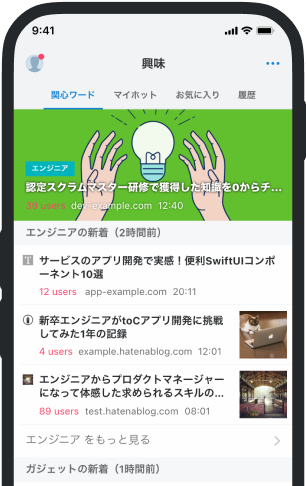
いまの話題をアプリでチェック!
- バナー広告なし
- ミュート機能あり
- ダークモード搭載
関連記事
表示されている画像を任意の画像に変更する - かちびと.net
Result 画像をクリックすると別の任意の画像を選択出来るようになります。 jQuery (function($) { $.fn.... Result 画像をクリックすると別の任意の画像を選択出来るようになります。 jQuery (function($) { $.fn.imgEdit = function(options) { // デフォルト var settings = $.extend({ inputName : "profile-picture", form : "#profile", }, options); $(this).click(function(e){ var target = this; // input要素作成 input = document.createElement('input'); // Add attributes input.setAttribute('type', 'file'); input.setAttribute('name', settings.inputName); inpu
ブックマークしたユーザー

すべてのユーザーの
詳細を表示します
詳細を表示します
 kachibito.net
 kachibito.net
 kachibito.net
 kachibito.net
 qiita.com
 news.denfaminicogamer.jp
 theriver.jp
 togetter.com
 engineering.dena.com
 togetter.com
 www.itmedia.co.jp
 www.itmedia.co.jp
 speakerdeck.com/syumai
 forma.welldirection.jp
 note.com/usakurai
 ja.wikipedia.org
 matome.mynikki.jp
 check.ldblog.jp
 tech.nri-net.com
 onaji.me
 tech.uzabase.com
 www.softbank.jp
